

Traffic is the oxygen of your Shopify store, but with 2026’s skyrocketing ad costs and crowded markets, it’s harder than ever to breathe.
The brands winning right now aren't chasing "magic" hacks; they’re layering proven strategies to build a steady visitor flow.
Success is about more than just a spike in hits—it’s about compounding that attention into long-term revenue.
Below are 12 essential strategies to drive high-quality traffic to your store, plus the best ways to capture every visitor so you aren't leaving money on the table.
Read on to master the strategies driving the most sales.
Why Traffic Alone Isn’t Enough
Before diving into the tactics, here’s a truth most guides skip: traffic without capture is a leaky bucket. The average Shopify store converts only 1.4–2% of first-time visitors. Without a way to collect email or SMS subscribers, you’re paying to acquire 100 people just to lose 98 of them forever.
The brands winning in 2026 aren't just driving more hits; they’re capturing 15–35% of visitors as subscribers. Every strategy below works best when paired with a system that turns anonymous browsers into an owned audience.
The 7 Main Sources of Shopify Traffic
A healthy brand never relies on a single channel. Most top-tier stores diversify across at least 4–5 of these primary sources:
- Organic Search: High-intent visitors finding you via Google SEO.
- Paid Search & Shopping: Direct clicks from Google Ads and Shopping.
- Paid Social: Targeted reach through Meta, TikTok, and Pinterest ads.
- Organic Social: Community engagement via Instagram and TikTok reels.
- Email & SMS: High-converting return visits from your owned list.
- Referral: Credibility-boosting traffic from external sites and links.
- Direct: Loyal customers who type your URL straight into the bar.
Diversification is your best defense against rising CPMs and shifting algorithms. Read on to see how to master these channels.
If you're also looking for 11 tricks to get sales on Shopify fast, our companion guide pairs well with everything below.
12 Proven Strategies to Drive Traffic to Your Shopify Store
1. Capture Every Visitor with an AI-Powered Popup

This is the strategy most guides miss: before spending a dollar on new ads, fix your "leaky bucket."
The math: if you drive 10,000 visitors and 2% convert, you've made 200 sales and lost 9,800 potential customers forever. But if you capture even 20% of those 9,800 as email or SMS subscribers, you have 1,960 people you can email and text for free, indefinitely, with welcome flows and campaigns. That's how a 2% site conversion rate compounds into a 15–20% long-term conversion rate.
Alia is the AI-powered popup software designed to do exactly that. Trusted by 2,500+ Shopify brands like Fishwife and Graza, Alia helps stores leapfrog the standard 2–5% opt-in rate, with customers routinely hitting 15–20%+ conversion. It's the difference between losing a visitor and gaining a customer for life.
How to implement it:
Since you are here on our site, it’s no surprise that Alia is the only brand we recommend for this. It is the only platform built specifically to handle the high-volume, interactive capture that modern Shopify stores need to scale.
- Sign up for a 14-day free Alia trial and install the app from the Shopify App Store (one-click install, no code).
- During onboarding, Alia's team will help you build your first popup at no extra charge — provide your brand colors, logo, and the offer you want to lead with (typically 10–15% off, free shipping, or a free product).
- Connect your ESP (Klaviyo, Omnisend, Sendlane) and SMS provider (Attentive, Postscript, Yotpo) so subscribers flow directly into your welcome sequences. See the Klaviyo integration guide or Attentive guide.
- Enable Smart Testing and Smart Triggering — let the AI run automatically rather than picking variants manually.
- Use Advanced Targeting to show different popups by traffic source — paid traffic should see a different offer than organic.
- After 30 days, review your dashboard and double down on top-performing segments.
Real results:
- Nakie, an Australian brand spending $2M+ per month on paid media, lifted sign-up rates from 5% to 35% peak — driving $5.8M in attributed sales after switching from Klaviyo's native popup.
- Hostage Tape hit 25% email opt-in rates and a 245% increase in welcome flow revenue — a 143x ROI.
- Essence Vault collected 360,000 emails in a single month at a 33% sign-up rate.
- Graza tripled opt-in rates after leaving Klaviyo's native forms.
If you're going to invest in driving traffic, install the capture layer first. Otherwise, you're filling a bucket with a hole in the bottom.
2. Master SEO and Organic Search

Image by rawpixel.com on Freepik
Organic search is the most durable traffic channel in ecommerce. Unlike paid ads, which stop the instant you stop spending, a well-ranked product page or blog post can drive visitors for years. SEO takes 3–6 months to start paying off, but once it does, it becomes your most reliable traffic source.
How to implement it:
- Run keyword research. Sign up for Semrush, Ahrefs, or free tools like Ubersuggest. Enter 3–5 of your top competitors and pull their ranking keywords. Filter for commercial intent (terms with "best," "buy," "review") and informational intent (terms with "how to," "what is").
- Optimize every product page. For each product, write a unique title tag (under 60 characters, includes your main keyword), a meta description (under 160 characters), and product copy of at least 200 words with 2–3 keyword variations.
- Optimize collection pages. Target broader category keywords ("women's leather totes") with 300+ words of intro copy above the product grid.
- Enable rich snippets. In your Shopify theme settings, confirm structured data markup is active. Test pages using Google's Rich Results Test.
- Publish 1–2 blog posts per week targeting informational keywords your customers search.
- Submit your sitemap to Google Search Console and monitor rankings monthly.
3. Run Google Shopping Ads (and Use Free Listings)

Photo by Negative Space
Google Shopping is one of the highest-intent traffic sources on the internet. When someone searches "running shoes size 10" and a product image with your price appears at the top, that click is worth 2–3x a regular search click because the user is ready to buy.
And Google's free product listings — which show up in the Shopping tab at no cost — are available to every Shopify merchant.
How to implement it:
- Create a Google Merchant Center account and verify your store domain.
- Connect your Shopify store using the Google & YouTube channel app (free in the Shopify App Store) — this auto-syncs your product catalog.
- Optimize your product feed. Native Shopify feeds are under-optimized — rewrite product titles to lead with your top keyword (format: Brand + Product Type + Key Attribute + Color/Size), fill in all attributes (GTIN, MPN, brand, color, size), and add high-quality square images.
- Enable free listings in Merchant Center under "Surfaces across Google" — these appear in the Shopping tab at no cost.
- Launch a Performance Max campaign with a starting budget of $20–50/day. Target a tROAS of 4x and let Google's algorithm optimize for 2–3 weeks before adjusting.
- Monitor the Diagnostics tab weekly to fix any disapproved products or feed errors.
4. Build a Strong Email Marketing Engine

Email marketing has the highest ROI of any channel in ecommerce — consistently 15–25x ROAS, versus 2–4x for cold paid social. But email only works if you've built a list, and the list only converts if you've built the right flows.
How to implement it:
- Choose your ESP. Klaviyo is the default for serious Shopify brands because of its deep Shopify integration. Sign up and connect via the Shopify App Store.
- Connect your popup tool so subscribers flow into Klaviyo with proper tagging — when paired with Alia's zero-party data, you can trigger personalized welcome flows based on what each subscriber told you they cared about.
- Build these five flows (in order of priority):
- Welcome flow — 3–5 emails over 7 days with your discount code, brand story, and best-sellers
- Abandoned cart flow — 2–3 emails over 48 hours
- Browse abandonment flow — for product page viewers who didn't add to cart
- Post-purchase flow — thank you, review request, cross-sell
- Win-back flow — for customers inactive 60–90+ days
- Send 1–2 campaigns per week to your engaged segment (last 60 days of opens/clicks).
- A/B test subject lines on every campaign — small lifts compound into significant revenue.
Here are 6 surefire ways to grow your e-commerce email list before you build the flows themselves.
5. Launch an SMS Channel

SMS open rates are 98%. Email is 20% on a good day. If you can build an SMS list, you have the most direct channel to your customers in ecommerce — but it only works if you treat it with respect and don't spam.
Use SMS for:
- Welcome messages with a first-time discount
- Abandoned cart recovery (often more effective than email)
- Time-sensitive promotions (flash sales, early access to launches)
- VIP customer offers
How to implement it:
- Choose your SMS platform. Attentive and Postscript are the leading options on Shopify. Sign up and connect via the Shopify App Store.
- Set up TCPA-compliant opt-in. Your popup must include the legal language ("By subscribing, you agree to receive recurring marketing texts...") — both Attentive and Postscript provide this language by default.
- Capture SMS opt-ins through your popup. Configure Alia or your popup tool to ask for phone after email — a two-step popup typically captures 10–25% SMS opt-in rates on Shopify.
- Build core SMS automations: welcome series with a discount code, abandoned cart recovery (often outperforms email), and post-purchase order updates.
- Send 2–4 broadcast campaigns per month max. SMS is a permission asset — over-sending kills it. Save it for time-sensitive promotions, flash sales, and VIP early access.
- Segment heavily. Don't blast your full list — engaged-only segments dramatically outperform.
6. Master Pinterest (The Most Underrated Traffic Channel)
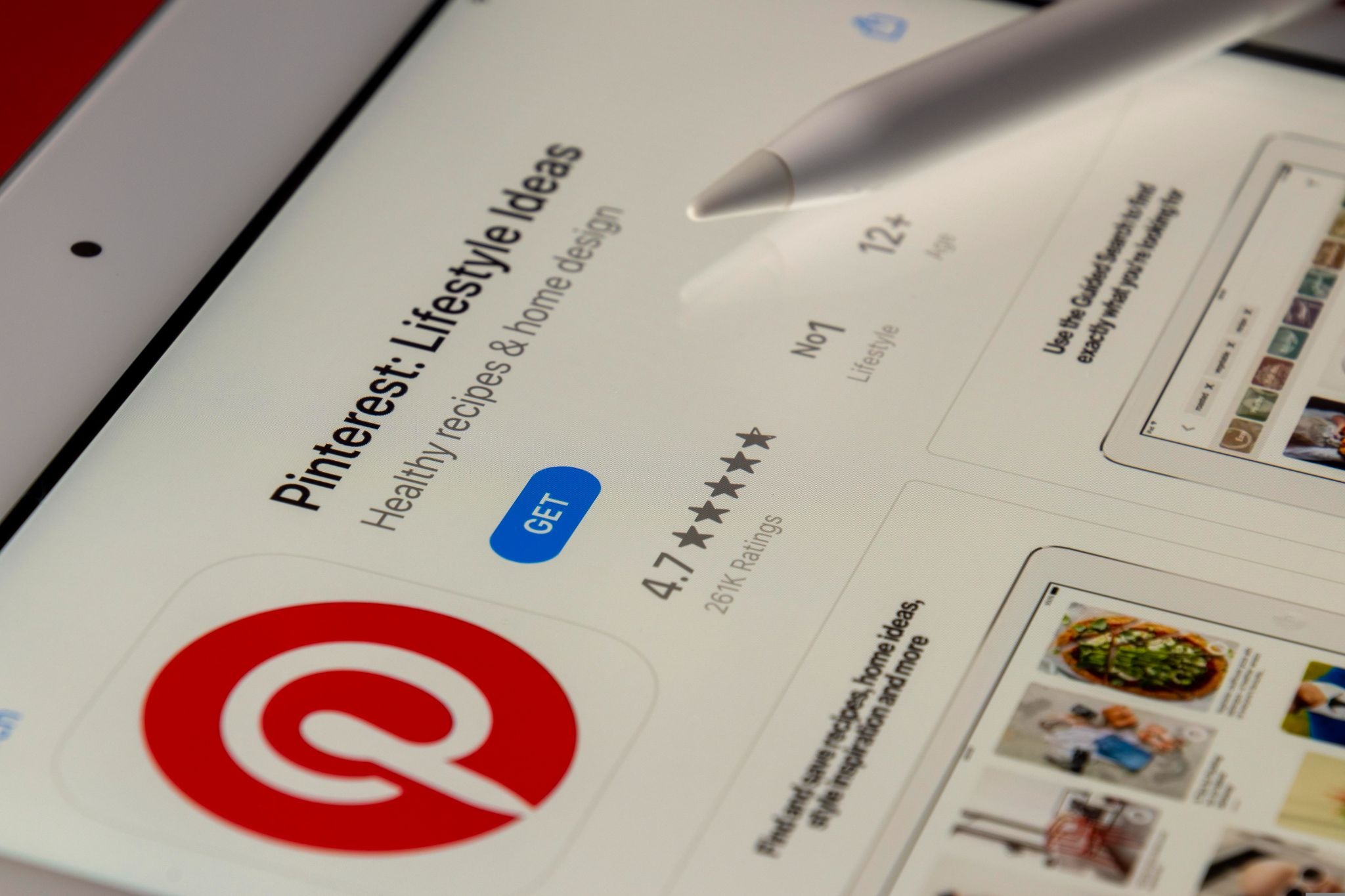
Pinterest is technically social, but it behaves like a search engine — and for the right categories (home, fashion, beauty, food, wellness, DIY), it can drive massive long-tail traffic. Unlike Instagram posts that die in 24 hours, a well-optimized pin can keep bringing in traffic for 6–12 months.
How to implement it:
- Convert to a Pinterest Business account (free) and verify your domain to access analytics.
- Enable Rich Pins by adding open graph metadata to your Shopify theme — this auto-pulls product price, availability, and description to your pins. Most modern Shopify themes support this natively.
- Use Pinterest's Keyword Planner (Ads → Tools) to find high-volume search terms in your category.
- Create 5–10 pins per day, varying images and copy. Use vertical 2:3 ratio images (1000x1500px), include your keyword in the title, description, and ALT text, and add 2–3 hashtags.
- Schedule with Tailwind — sit down once a week for an hour and queue 30–50 pins. The algorithm rewards consistent daily pinning, not bursts.
- Link every pin directly to the relevant product or collection page (not your homepage).
- Track what works in Pinterest Analytics monthly and double down on top-performing pin formats.
7. Run Targeted Paid Social Ads
Image by AS Photography from Pixabay
Paid social — primarily Meta (Facebook/Instagram) and TikTok — is the fastest way to drive traffic at scale. You can go from launching a campaign to driving visitors within 24 hours. But it's also the most competitive channel in ecommerce, and without tight unit economics it's a fast way to burn through cash.
How to implement it:
- Install the Meta Pixel and Conversions API through the Facebook & Instagram channel in your Shopify admin. This is non-negotiable — without it, your ads can't optimize properly.
- Set up the same for TikTok via the TikTok Shopify channel.
- Start with 3–5 ad creatives per ad set. Mix formats: UGC-style videos, founder POV videos, product demos, and image carousels. Creative is the biggest lever — variety gives the algorithm room to find winners.
- Launch a single Advantage+ Shopping campaign on Meta with $50–100/day budget. Don't over-segment audiences — Meta's algorithm performs better with broad targeting in 2026.
- Run a separate retargeting campaign to website visitors and engaged social audiences with a $20–30/day budget.
- Wait 7–14 days before making changes. Cutting too early kills the learning phase.
- Track real ROAS, not platform-reported. Post-iOS 14.5, platform numbers overstate by 20–40%. Use Triple Whale or post-purchase surveys ("How did you hear about us?") to validate.
8. Build an Influencer or Affiliate Program

Image by Photography from Pixabay
Influencer marketing is one of the highest-converting acquisition channels in ecommerce when executed well — referred customers from a trusted creator convert at 3–5x the rate of cold traffic. For most brands, micro-influencers (10K–100K followers) deliver better ROI than mega-influencers.
Two models work on Shopify:
Paid partnerships — negotiated fees for dedicated posts, reels, or stories. Best for established brands with budget, and for high-impact campaigns (product launches, BFCM).
Affiliate/commission-based — creators get a unique discount code and commission on sales. This scales far more cost-effectively because you only pay when sales happen. Shopify Collabs is native to Shopify and free to use — you can recruit creators, send product, generate affiliate links, and manage payouts all from your Shopify admin.
How to implement it:
- Install Shopify Collabs (free, native to Shopify) from the Shopify App Store.
- Set up your application page. Define commission rates (10–25% is standard for ecommerce), gifting policies, and creator requirements (minimum follower count, niche, content type).
- Identify 20–30 target creators using Shopify Collabs' creator network or by searching hashtags and competitor mentions on Instagram and TikTok.
- Send personalized outreach — not mass DMs. Reference specific content they've made and explain why your product fits.
- Provide creators with assets: product samples, brand guidelines, talking points, and a unique discount code (10–15% off works well as a dual incentive).
- Track performance per creator. Shopify Collabs auto-attributes orders. Drop creators who don't drive sales after 60 days; double down on top 20%.
- Pay reliably and on time. Reputation in the creator community travels fast.
9. Encourage Reviews and User-Generated Content
Image by freepik
Reviews drive traffic two ways: through improved organic rankings (Google favors review schema) and higher click-through rates on search and ad placements. Star ratings lift CTR by 20–30%, and UGC on product pages converts visitors at higher rates.
How to implement it:
- Install a review app — Yotpo, Okendo, or Judge.me are the top three on Shopify. Yotpo and Okendo are best for scaling brands; Judge.me has a strong free plan for early-stage stores.
- Set up automated review requests to fire 7–14 days post-delivery (giving customers time to actually use the product).
- Offer an incentive for photo/video reviews — a small discount code on next purchase typically doubles photo review submission rates.
- Add review widgets to product pages, collection pages, and the homepage. Make star ratings prominent above the fold.
- Enable Google Seller Ratings by syncing your review data with Google Customer Reviews and Merchant Center.
- Repost UGC on social and ads with permission — UGC ad creative typically outperforms polished brand creative by 30%+ on paid social.
- Respond to every review — both positive and negative. It builds trust and signals to Google that the page is active.
10. Launch a Referral Program
Referred customers convert at 4x the rate of cold traffic and have 16% higher lifetime value. It's the best ROI traffic you can get — assuming your product is actually worth referring.
The mechanics are simple: give your existing customers a reason and an easy way to tell their friends. For more on building this kind of advocacy loop, see how to launch an e-commerce loyalty program users love.
How to implement it:
- Pick a referral platform. ReferralCandy, Friendbuy, and Yotpo Loyalty are the most popular options. Install via the Shopify App Store.
- Choose your reward structure. Common reward structures:
- Give $X, get $X (both sides get a discount)
- Give a percentage off, get a percentage off
- Give a free gift, get a free gift
- Tiered rewards (escalating perks as they refer more friends)
- Add a referral CTA to your post-purchase thank-you page, account dashboard, and welcome email — these are the moments customers are most likely to share.
- Send a dedicated launch email to your full customer list announcing the program with clear instructions.
- Build a simple referral landing page showing how it works and the reward — keep it under 100 words and one click to action.
- Monitor for fraud. Most platforms include fraud detection — check it weekly to avoid paying out on self-referrals.
- Iterate every 90 days. Test reward amounts, messaging, and placement based on share rate and conversion rate data.
11. Retarget Visitors Who Didn't Convert (And Feed Your Ads With First-Party Data)
Retargeting brings back the 98% of shoppers who didn't buy on their first visit. Most visitors need at least seven touchpoints before they’re ready to commit. However, with the decline of third-party cookies, standard retargeting is less reliable than it used to be.
The secret to high-ROAS retargeting in 2026 is first-party data. By capturing an email or phone number via a popup, you can sync that data directly to ad platforms, creating a perfect match that doesn't rely on browser tracking. Brands serious about recapturing exiting visitors should also study exit-intent popup examples to maximize first-touch capture.
Where to set up retargeting:
- Meta (Facebook & Instagram): Run Dynamic Product Ads (DPAs) based on specific items viewed.
- Google Search & Display: Use Remarketing Lists for Search Ads (RLSA) to bid higher on past visitors.
- TikTok & Pinterest: Use platform-specific pixels to re-engage users who interacted with your content.
How to implement it:
- Verify Your Tracking: Use the Meta Pixel Helper to ensure your Pixel and Conversions API (CAPI) are firing correctly.
- Build Core Audiences: Segment users in your Ads Manager by behavior: site visitors, product viewers, add-to-cart abandoners, and checkout abandoners.
- Sync Your Lists: Upload your email and SMS lists as Custom Audiences in Meta and Customer Match lists in Google. This is your most valuable audience because it’s based on real identities, not just cookies.
- Launch Dynamic Ads: Show shoppers the exact products they left behind.
- Control the Burn: Cap frequency at 3–5 impressions per week to avoid annoying your audience, and refresh your ad creative every month to prevent fatigue.
The Pro Tip: Your retargeting is only as powerful as your list. High-converting popups aren't just for email marketing—they are the "fuel" that makes your paid ad spend significantly more efficient.
12. Create Consistent, High-Quality Content

Image by rawpixel.com on Freepik
Content marketing is slow, but it's one of the most sustainable traffic plays for Shopify brands. A single well-ranked piece of content can drive traffic for years, establish your brand as an authority, and give your sales team (or customer service) helpful resources to send to prospects.
Content types that work on Shopify:
- Buying guides — "Best hiking backpacks for women" if you sell outdoor gear
- How-to tutorials — "How to store olive oil to preserve flavor" if you sell pantry goods
- Comparison content — "Linen vs cotton sheets" if you sell bedding
- Brand story and educational content — the "why" behind your product
How to implement it:
- Build a 90-day content calendar with at least 12 topics — mix buying guides ("Best hiking backpacks for women"), how-tos ("How to store olive oil"), comparisons ("Linen vs cotton sheets"), and brand stories.
- Validate every topic against keyword data. Use Semrush or Ahrefs to confirm there's actual search volume (look for 100+ monthly searches with low-medium difficulty).
- Write a detailed brief for each post: target keyword, search intent, headings, word count (1,500–2,500 for ranking content), and 2–3 internal links to product/collection pages.
- Publish 1–2 posts per week consistently. Frequency beats sporadic excellence for SEO.
- Distribute beyond your blog. Repurpose every post into an email newsletter, 5–10 Pinterest pins, and 2–3 social posts.
- Refresh older posts every 6 months. Updating dates, stats, and adding new sections often produces faster ranking gains than new content.
- Track results in Google Search Console. Identify pages ranking on positions 5–15 and improve them — those are the easiest ranking wins.
How to Prioritize These Strategies
You don't need to do all 12 at once. Here's a rough order of operations based on stage:
Just starting out (pre-launch to $10K/month): Focus on SEO fundamentals, set up email capture with Alia or a basic popup, launch Meta retargeting, and start building a Pinterest presence. Don't scale paid until you have conversion rate data.
Growing ($10K–$100K/month): Layer in paid social prospecting, launch SMS, start an influencer/affiliate program, and double down on content and SEO. This is where capture matters most — you have enough traffic for popup A/B testing to meaningfully improve conversion. Popup timing and triggers become especially important at this stage.
Scaling ($100K–$1M+/month): Everything above, plus advanced attribution (Triple Whale, Northbeam), creative analytics (Motion), and a mature referral program. At this stage, Alia's Fully Managed Plan — with dedicated CSM and fully managed in-app A/B testing — typically pays for itself within weeks because the traffic volume makes every percentage-point lift in opt-in rate worth thousands in welcome flow revenue.
Across every stage, the principle is the same: don't drive traffic you can't capture. Capture first, then scale the traffic.
TurnYour Shopify Traffic Into Revenue
Driving traffic to your store is a job that never truly ends. As we've explored, there is no single "magic" channel—real growth comes from layering 4–6 of these strategies together, measuring the data, and doubling down on what works for your specific brand.
However, the biggest shift for Shopify stores in 2026 isn't about finding a brand-new traffic source. It’s realizing that capturing traffic is more important than driving it. Every SEO win, influencer shoutout, and paid ad is just a pipe ending at your homepage. If you don't have a way to catch those visitors before they bounce, you’re essentially filling a bucket that has a giant hole in the bottom.
Stop the Leaks with Alia
The fastest-growing brands follow a specific sequence: Install the capture layer first, then scale the traffic. By securing your first-party data foundation (email and SMS) at the start, you ensure that every visitor you pay to reach has a real chance of becoming a customer for life.
This is why Alia sits at the very top of the strategies in this guide. While standard popups settle for tiny 2–5% conversion rates, Alia's AI-driven system helps brands hit 15–20%+ opt-ins consistently — see the full success stories library for proof.
By using smart behavioral triggers and interactive games, Alia turns anonymous browsers into an owned audience that you can market to for free, indefinitely.
Ready to see what a 20% opt-in rate would do for your business? Book a 15-minute Alia demo and let's fix your leaky bucket today.
Frequently Asked Questions
What's the fastest way to drive traffic to a new Shopify store?
Paid social (Meta and TikTok) is fastest — you can be driving visitors within 24 hours. But before you spend a dollar on ads, make sure you have a popup capture flow set up. Otherwise, you're paying to acquire visitors you'll never see again. For sustainable traffic, SEO and content take 3–6 months but compound for years.
How much does it cost to drive traffic to Shopify?
Paid traffic costs anywhere from $0.50 to $5+ per click depending on category, platform, and targeting. SEO and content are free in theory but require significant time investment (or cost $2K–$10K+ per month if outsourced). Email and SMS are nearly free per send once your list is built — which is why list building is one of the highest-ROI activities you can invest in.
Do popups hurt SEO?
Not if they're done right. Google penalizes intrusive interstitials — popups that block content on mobile landing pages immediately on load. Smart popup tools like Alia avoid this by triggering based on user behavior (scroll depth, exit intent, idle time) rather than on page load, which means they don't appear during Google's initial crawl. Well-designed popups actually improve user experience by offering value at the moment a visitor is likely to leave.
What conversion rate should I expect from popups?
Baseline popups (Shopify's native, Klaviyo's default form) typically convert 2–5% of visitors. Dedicated popup tools with basic A/B testing reach 7–12%. Alia customers average 15–20%, with top performers hitting 25–35% — see Hostage Tape at 25%, Essence Vault at 33%, or Nakie peaking at 35%. Going from 5% to 20% opt-in rates on the same traffic means a 4x larger email and SMS list — which compounds into 4x the welcome flow revenue over time.
Which strategy has the highest ROI?
Email and SMS marketing consistently deliver the highest ROI (15–25x ROAS) — but only if you have a list. So the highest-ROI activity you can do is build your list through popup capture, then monetize it through flows and campaigns. Everything else on this list is a traffic source that feeds the capture layer.
How do I balance paid ads with organic traffic?
Most successful Shopify brands end up with a roughly 40/30/30 split — 40% from paid (ads and shopping), 30% from organic (SEO, social, content), and 30% from owned channels (email, SMS, direct). Over-indexing on any one is risky: pure paid brands get squeezed when CPMs rise, pure organic brands grow slowly, and pure owned-channel brands can't acquire new customers. Diversification is the goal.